
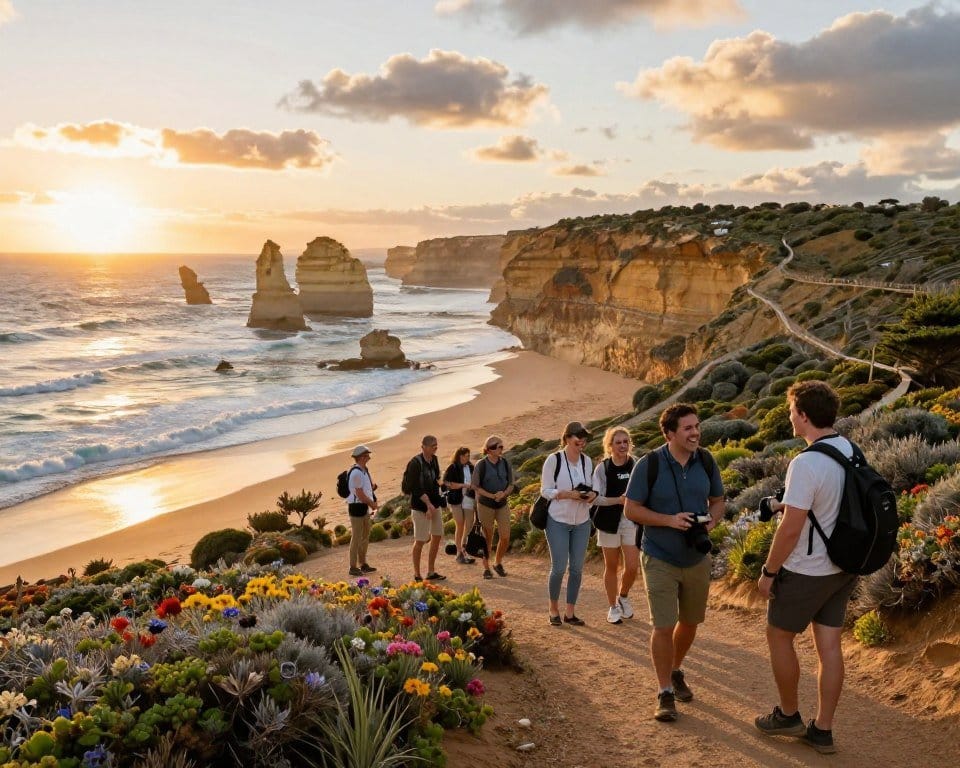
You return from a memorable coastal walk with photos, small discoveries, and a story worth sharing. Then you open a blank screen and wonder where to begin. That pause is familiar to many people who want to write about Australian adventures online.
UploadBlog for travel can start with a local outing, a weekend away, or a place you know well. You can learn as you publish, improving each post through practice and reader feedback. The aim is a useful, personal online presence, not a perfect site on day one.
You do not need years of travel or a far-flung itinerary to get started. A clear account of a nearby walk, market, or road trip can help readers plan their own time. You can build from there, one honest story at a time.
Before you think about tools or layouts, consider the experience you want to share. What kind of travel experience do you most want to write about?
How Do You Use UploadBlog for Travel to Publish a Post?
Publishing a travel post is a sequence of manageable choices, not one technical hurdle. You prepare a useful story, choose a publishing platform, add visuals, and make the finished page public.
Here, “UploadBlog” means the process of uploading and publishing, not a promised feature set for a particular product. A niche is a focused subject or perspective that helps a blog stand out and gives readers a clear reason to visit. A first post might be a practical guide, itinerary, or personal account.
Publishing is a series of manageable choices: prepare a useful story, add visuals, and make the finished page public.
Start by choosing a platform that suits your comfort with setup and the control you want. Then shape one story around a reader’s need, rather than trying to cover every detail of a trip.
Add photos or other media only when they help explain the place or experience. Check that the text is easy to read, the page works on a phone, and the post is actually published.
Some writers also benefit from guidance on preparing and publishing online articles. Keep the first attempt simple. A single useful travel blog post is enough to learn how the platform works.
Once the basic process feels clearer, decide what you want your blog to be known for. That choice gives your travel blogging a steady direction and makes it easier to get started with purpose.
What Travel Niche Should You Choose?
Turn “I write about travel” into “I help people plan low-cost weekends in regional Australia.” A specific niche gives new travel bloggers a clearer promise and helps the right audience recognize the blog’s value.
Your niche can center on a region, travel style, traveler group, or interest. It might cover Australian weekend trips, solo travel, budget travel, family travel, food, or outdoor adventures. A useful starting focus is specific enough to guide your stories, but broad enough to sustain them.
Start with your own experience. If you regularly explore nearby towns, you may know the practical details that help someone plan a short break. If you travel with children, your experience can answer questions that a general destination article overlooks.
Match a subject to your experience
Think about the places, routines, and choices you can write about honestly. You do not need to be an expert in every part of a trip. You do need enough firsthand experience to describe what worked, what surprised you, and what you would change.
Try these six prompts to find a subject you can return to:
- Which Australian region do you know well enough to revisit?
- What kind of trip do you plan most often?
- Which travel costs do you know how to manage?
- Who do you most enjoy helping plan a trip?
- What local food or outdoor activity do you seek out?
- What travel problem have you solved more than once?
Picture the reader you want to help
A clear audience makes a subject more useful. “People planning a first solo weekend in Melbourne” gives you a sharper point of view than “people who like travel.” Consider what that reader needs to decide, what might worry them, and what information would save time.
You can broaden the focus as you learn what readers value. A blog that begins with low-cost weekends in regional Australia might later cover longer road trips. For now, choose a direction you can keep exploring; next, turn that focus into a name readers can remember.
How Should You Choose a Blog Name and Domain?
You may find your first-choice name is already taken, even if it fits your travel stories perfectly. Keep several options ready, and choose a clear, flexible name that readers can remember and type.
Brainstorm words tied to your niche, the places you cover, or the feeling of your trips. Check whether each blog name and matching domain name is available, and watch for names that could be confused with existing sites. Avoid locking the blog to one destination if you may want to cover other places later.
Say each option aloud, then ask a few trusted people which ones they remember after a short break. A name that is easy to spell and repeat is more useful than a clever phrase people cannot find again.
Using your personal name can suit a personal brand built around your own travel experience. A broader name may leave more room for other contributors or a change in direction. Think about how you want the blog to feel in a few years, not just during its first month.
Keep the domain simple, and avoid unusual spellings that need explaining. The website address readers use is its domain name. It should match the name closely where possible, though a close alternative can work if it remains easy to understand.
Write down your strongest choices and compare them for clarity, flexibility, and possible mix-ups. Once you have a name and address that fit your focus, the next decision is the system that will run the site.
Which Platform and Hosting Setup Fits a Travel Blog?
If you want the simplest setup, a hosted builder may suit you; if you want room to customize later, self-hosted WordPress offers more control. The right platform depends on how much setup and upkeep you can take on.
Self-hosted WordPress uses a separately arranged web host, while Wix and Squarespace generally combine the editor and hosting. A web host is the service that makes a website available online. These choices offer different balances of control, cost, and convenience.
Compare common platform types
Use the comparison to match the arrangement to your needs. Free services can be easy to try, but their rules, terms, or monetization options may limit your choices.
| Option | Hosting arrangement | Control | Sensible use case |
|---|---|---|---|
| Self-hosted WordPress | Separate web host | High flexibility | Long-term travel blog |
| Wix or Squarespace | Editor and hosting combined | Moderate control | Simpler site setup |
| Blogger | Hosted service | Limited by service terms | Basic personal blog |
| Medium | Hosted publishing service | Platform rules apply | Article-first publishing |
| Link-in-bio microsite | Hosted lightweight page | Limited site features | Quick links and updates |
Choose based on control and upkeep
Self-hosted WordPress gives the site owner control over the site and future features, but you arrange the web host separately. That flexibility can be useful as your travel blog grows. It also means handling more setup and maintenance yourself.
Website builders such as Wix and Squarespace can reduce setup work by keeping the editor and hosting together. They may be a good fit when your budget, time, or technical comfort makes a simpler route more appealing.
A free publishing platform can help you begin without building a full site. Its limits may matter later if you want more control over design, rules, or income options. A link-in-bio microsite is lighter still: it can gather links, but it is not a full travel blog.
Choose the simpler hosted option when minimizing setup matters more than flexibility. When your choice is settled, turn your attention to a readable site that helps readers find their way around.
What Should You Set Up Before Publishing?
A reader arriving on a phone should be able to find your destination guide without pinching, zooming, or hunting through menus. Set up a clear, readable site before you share the first post.
Choose a theme with legible text, then use a small set of colors and fonts throughout. Readable writing and clear navigation matter more than decorative effects. A busy background or tiny menu can make a useful travel guide hard to use.
Keep the main navigation simple. A few clear links can take readers to your home page, key categories, About page, and Contact page. Avoid filling the menu with every new post or category.
Your About page can explain who you are and what kind of travel stories you share. Your Contact page gives readers a direct way to reach you. Both pages can be short, personal, and easy to find.
Test the site on a phone before publishing. Check that headings fit, text stays readable, links are easy to tap, and images do not push important details off-screen. A design that looks neat on a laptop may feel cramped on a smaller display.
You can revise your colors, theme, or navigation later as you learn what works. Do not delay useful posts while chasing a perfect look. With the basic structure in place, focus on the stories that will make readers want to return.
What Travel Blog Ideas Can You Publish?
Someone planning a day in a new city without overspending needs more than a list of attractions. Give that reader a useful answer, and the story idea has a clear job.
Look for questions your chosen audience asks before, during, or after a trip. A good blog post solves one of those problems or helps readers make a decision. Choose a format that suits the reader’s question, not a format that is trending.
Turn questions into useful stories
Use familiar questions to make content planning repeatable. A person asking “How do I get around?” needs different detail from someone asking “What should I eat?” Match each post to the need.
| Format | Example topic | Reader benefit |
|---|---|---|
| How-to | How to plan a low-cost Sydney day out | Clear actions and cost choices |
| Top-ten list | Ten short walks near Hobart | Several options in one place |
| Destination guide | A weekend guide to the Blue Mountains | Planning details for a visit |
| Meeting-people tips | Ways to meet people on a solo trip | Ideas for building connections |
Vary formats without losing your focus
You can vary formats while keeping the same niche and audience. A family travel blog might include a destination guide, a packing answer, and a personal lesson from a trip. Each piece serves a different question without making the blog feel scattered.
Use these six prompts when you need fresh travel ideas:
- A local Australian itinerary for a weekend or day trip
- A budget-conscious day out with practical choices
- A food guide to a town, market, or neighborhood
- An answer to a packing or planning question
- An under-the-radar place you have visited
- A personal lesson from a trip that could help someone else
Keep a running note of questions people ask you about places you know. Repeated questions often point to useful articles, especially when your own experience can add details a broad travel page misses.
Ideas become stronger when they fit your focus and answer a real need. Pick one question, then turn it into a clear, helpful draft with a purpose readers can recognize.
How Do You Write a Travel Post Readers Can Use?
A useful travel post starts by telling readers what it will help them do. Give each piece one clear purpose, such as planning a walk, choosing transport, or finding an affordable meal.
Keep the writing tied to the question that brought the reader in. A personal story can make the piece warm and memorable, but practical details make it useful. Do not turn an anecdote into a guide without answering the reader’s practical question.
Give each post one clear purpose
Before writing, finish a simple sentence: “After reading this, someone can…” If you cannot complete it clearly, the topic may be too broad. Narrow the question until the answer feels manageable.
Include only details that help readers understand or act. If you know the best time to arrive, how transport works, or what you would do differently, explain it. Small firsthand details can make travel content much more useful than general praise.
Use a direct opening to state the point, then add context and examples. A reader planning a ferry trip may need to know where to board before hearing what you enjoyed along the route.
Structure the story for scanning
Descriptive subheadings let readers spot the part they need. Group related details together, keep paragraphs focused, and end with a clear takeaway or next action. A clean structure also helps people return to the post while planning.
For many travel posts, about 1,000-2,000 words is a useful starting length. Treat that range as flexible, not a target to pad. A simple question may need less space; a detailed destination guide may need more.
Read the draft as someone preparing a real trip. Can they find the transport detail quickly? Have you separated what you experienced from what you recommend? If a key answer is missing, add it before polishing the prose.
Good writing gives the reader a reason to trust your experience without making every sentence about you. Photos and other media can support the explanation, but they should not replace the written guidance.
How Should You Add Photos and Other Visuals?
A photo of a distinctive trail marker can make a route easier to picture than several lines of directions. Use relevant visuals to help readers understand a place, route, or travel experience.
Choose clear photos or video that add useful context. Put each visual near the explanation it supports, such as a station entrance beside transport directions. A visual should clarify the post, not distract from its purpose.
Write descriptive alt text for meaningful images. Alt text is descriptive text for an image, and assistive technology can use it to convey the image’s purpose. “Blue trail marker beside the coastal track entrance” is more useful than “travel photo.”
Describe what matters in the image rather than listing every visible object. If a photo shows a ferry wharf, name the wharf or explain how it relates to the directions. Keep the wording concise and accurate.
Use photos and video that you created or have permission to use. A picture found in a search result is not automatically free to publish. Check your rights before adding someone else’s media to a blog post.
A decorative image that adds no information does not need to be treated as essential content. If an image contributes nothing to understanding the post, you can leave it out. This keeps the page focused and helps readers reach the useful details.
Visuals can make a story easier to follow, especially when a landmark or route is hard to describe. Once the draft is understandable, help the right readers find it through search.
How Can Search Engines Find and Understand Your Posts?
Search visibility starts with a page that clearly answers a question travelers actually have. Match your content to a real query, then make the page easy for search engines and readers to understand.
Use a clear title that tells people what the post covers. Descriptive headings should name the details inside each part, such as transport, timing, or costs. No setup guarantees that search engines will show a page to readers.
Write a concise, accurate page description that explains what readers will find. Keep the post address readable, with words that reflect the topic rather than a string of numbers or unclear abbreviations.
Link to relevant older posts when they offer a useful next detail. A guide to a regional town might link to your nearby walking guide, helping readers move between related articles.
Good SEO begins with useful, accessible pages, not repeated keywords. Include natural terms that fit the subject, but never force them into awkward sentences. Clear writing serves people and helps search engines interpret the page.
Give each post time to become useful and discoverable. Search engines need access to the page and enough context to understand it, but ranking depends on more than a few settings.
When the draft answers a real question and the page details are clear, it is ready for a final check. Move from preparing a searchable draft to checking it and making it live.
What Are the Steps to Upload and Publish a Travel Post?
A finished draft still needs a final preview before readers can see it. Use a short publishing workflow to move from draft to a public post without missing practical details.
A saved draft is not publicly accessible just because it appears in your platform account. Check the live page after publishing, especially its links and mobile layout.
A saved draft is not a public post. Preview the page, publish it, then check what readers can actually see.
Prepare the draft and media
Follow these five steps in order:
- Sign in to your chosen platform.
- Create a new post.
- Paste or write the draft, then format the headings.
- Add visuals and descriptive alt text.
- Preview the post, then publish it.
Before the final step, read the preview as if you were planning the trip. Check that headings are clear, paragraphs display properly, and visuals sit beside the details they explain.
Preview, publish, and check the live page
After publishing, open the live page and test its links. Make sure each link leads to the intended page, and check the layout on a phone. A correct preview does not rule out a small problem on the public version.
You can publish before building a large archive. Having three posts ready before launch can give the blog a small initial library and reduce the pressure to write immediately afterward.
Prepare those posts if it fits your time, but do not treat three as a requirement. One useful post can be published on its own. Make sure the page is public, not simply saved or scheduled without a visible live version.
Once a reader can open the post and use its details, your next task is helping interested people find it.
How Can You Help More Readers Find Your Blog?
Turn one destination guide into a short social media tip, then add its link to a newsletter. Reuse what you have made to help interested readers find the blog without starting from scratch.
Share a short excerpt, useful tip, or photo on social media where people interested in that place spend time. A newsletter gives readers a direct way to hear about new posts, even when a social feed changes.
Do not depend on one platform alone, because social reach can vary. Try a mix of channels and actions that fit your audience and the kind of travel content you publish.
- Social posts with a useful excerpt, tip, or image
- A newsletter linking to new travel posts
- Relevant travel communities where sharing is welcome
- Links between related articles on your blog
Share posts through social media
Adapt an existing post for each place you share it. A walking guide might become a short tip about the starting point, while the full article holds the route details. Keep the information accurate and make the link easy to find.
Join relevant travel communities by taking part, not by dropping links without context. Follow each group’s rules. A helpful reply about a local route can be more welcome than an unexplained promotion.
Build a direct connection with a newsletter
A newsletter can tell subscribers when you publish a new guide or share a short update from a recent trip. Give people a clear reason to sign up and send messages at a pace you can maintain.
Repurpose existing material instead of creating a separate campaign for every channel. One post can support a social tip, a newsletter link, and a useful discussion in a travel community.
Building an audience takes consistent work, and readers may arrive slowly. As your travel blog grows, think about the costs it can carry and any income path that makes sense for your readers.
What Does It Cost to Run a Travel Blog, and Can It Earn Money?
A travel blog may cost little to launch, but extra spending can grow with its scope. Start with the basics, then decide whether each added cost supports the experience you want to offer.
A basic self-hosted blog can start at around $3 per month for hosting. Total costs depend on the web host, domain, and optional tools. That hosting figure is only a starting point, not the full cost of running every blog.
Around $3 per month can cover basic hosting, but the full cost rises with your domain, tools, travel, and media work.

Plan for the costs that fit your approach
Costs may include hosting, domain registration, optional themes or tools, travel, and photo or video work. A blog based on nearby day trips may need less travel spending than one built around regular long-distance journeys.
Keep a simple budget that separates required costs from optional ones. You can begin with a basic setup and add tools only when they solve a clear problem or improve the content.
Consider income options only when they suit your readers
A blog can earn through several approaches, but none guarantees income. Each asks for something different from you and should fit the trust you are building with readers.
| Method | How it can earn | What it asks of the creator | Reader-first caution |
|---|---|---|---|
| Sponsorships | Payment for agreed brand coverage | Audience fit and clear disclosure | Keep recommendations honest |
| Affiliate links | Commission on qualifying purchases | Relevant links and clear disclosure | Recommend only useful products |
| Display advertising | Revenue from ads shown on pages | Traffic and ad placement choices | Ads can interrupt reading |
| Paid content | Fees for an agreed article or project | Time, skill, and clear terms | Protect editorial trust |
Some monetization guidance uses 10,000 monthly pageviews as a benchmark, but it is not a universal requirement. A smaller, focused audience may suit a niche partnership better than broad advertising. Audience trust, niche, and useful content matter more than treating a traffic figure as a promise.
Waiting 6-12 months before focusing on monetization is a cautious rule of thumb, not a requirement. You can first learn what readers value and what kind of content you can sustain. A low-pressure next step is to track your costs without setting an income target.
Conclusion
Begin with the next manageable action, not a perfect website. A clear subject and one genuinely helpful post give your travel blog a stronger start than months spent adjusting small design details.
You can improve the site and your writing as you learn what readers need. For now, focus on one question you can answer from firsthand experience. A useful post can grow from a local outing just as easily as from a long trip.
To get started, choose one question from a recent Australian outing and sketch the answer. That small draft is a real first step toward sharing your travel stories with readers.